
Health Record · Your details and emergency information
Everything someone needs to help you, in one place
Your details, your carer, your doctors and pharmacy, your health history and your emergency information. Type it once: it’s one press away on every page, and in every printout.
Kept on your device · No tracking, ever · Large print · Works offline once activated
The buttons at the top of every page
Wherever you are in the app, the same buttons are at the top:
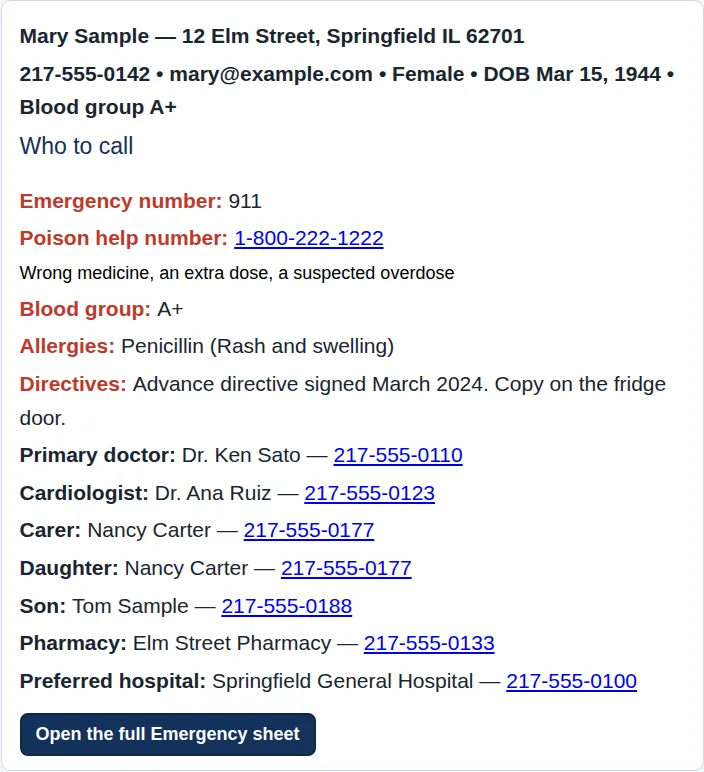
- WHO TO CALL IN EMERGENCY shows your emergency numbers, doctor, carer and family at once. On a phone, tap a number to call it. It always works, even if your licence has ended.
- EMERGENCY MEDICAL INFO opens your Emergency Sheet and Wallet Card, ready to print.
- Backup saves a copy to your Downloads folder; Restore brings one back.
- Help opens the help for the page you’re on, and Setup holds your settings and the User Guide.

You, and the people who help you
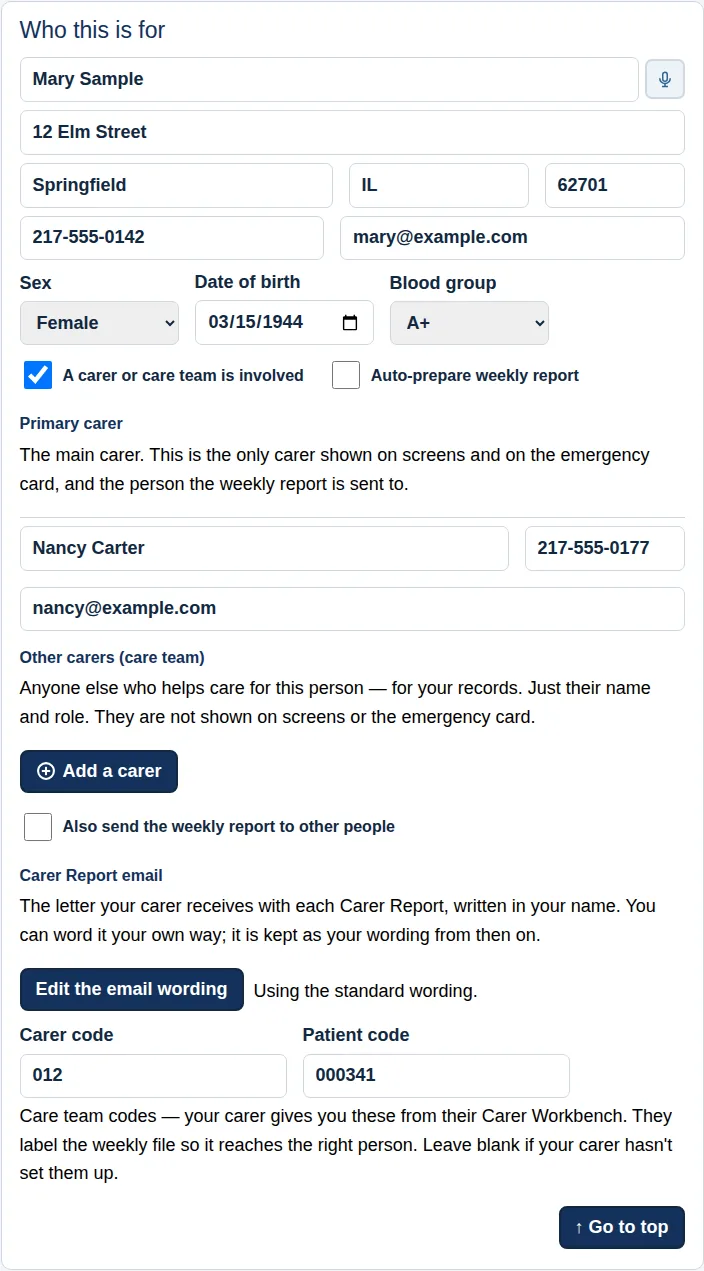
On the Patient page, type who the record is for: your name, address, phone, email, date of birth and blood group.
If someone looks after you, tick A carer or care team is involved and add their name, phone and email, and anyone else in the care team. Your carer gives you two short codes that make sure your weekly report reaches the right person.
You can also copy family members in on the weekly report, and have the report prepared for you automatically each time you start a new week.
Everything saves itself as you type. There’s no Save button to forget.
Who to call
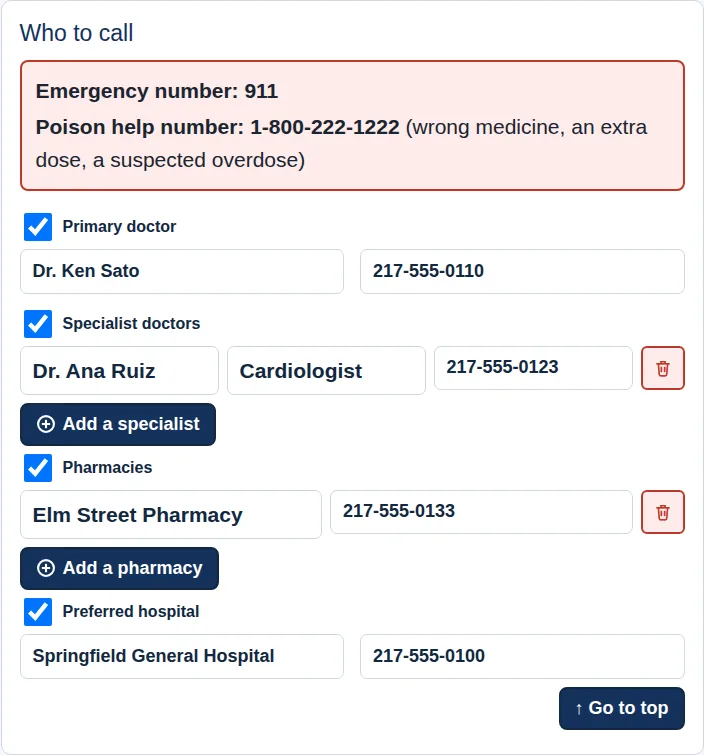
Your doctor, specialists, pharmacy and preferred hospital, each with a phone number, and your local emergency and poison help numbers.
These feed WHO TO CALL IN EMERGENCY, your Emergency Sheet and your Wallet Card, so when a number changes you change it once and every copy is up to date.
Your health history
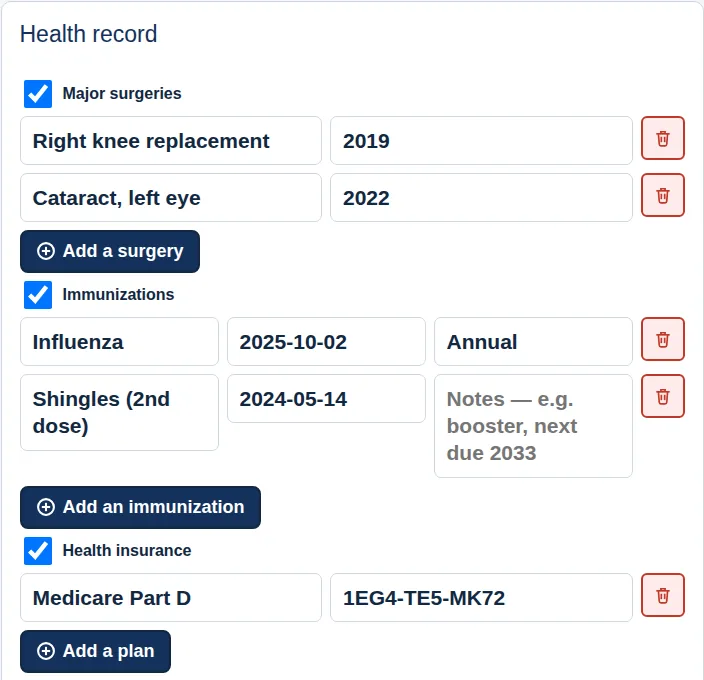
The details a new doctor, a hospital or a stand-in carer asks for, kept together:
- Allergies and what happens
- Conditions and their treatments
- Major surgeries, and implants or devices
- Immunizations, with dates and when the next is due
- Health insurance, advance directives, and your next medication review
Every part is optional: tick a box to open it, and leave out anything you’d rather not record.
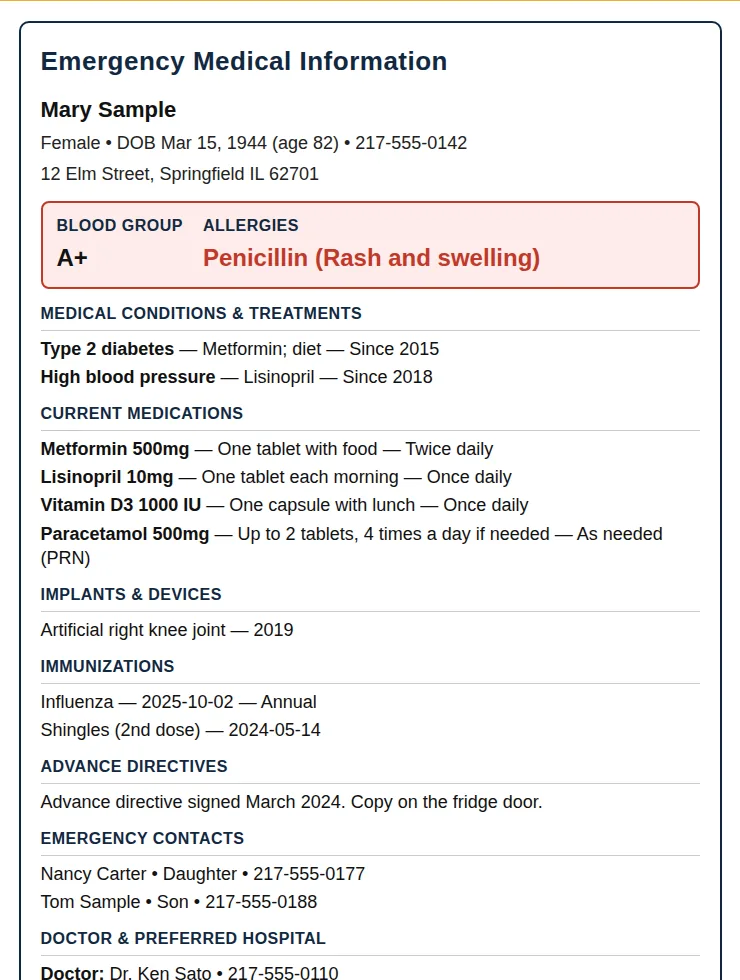
Emergency Medical Information
One page with what first responders, an emergency room or a fill-in carer look for: who you are, blood group, allergies, conditions, current medicines, implants, directives and who to call.
Print the Emergency Sheet for the fridge door or a go-bag, and the Wallet Card for your purse or wallet. Both are built from what you’ve already typed, so there’s nothing to fill in twice.
Your history, whenever you need it
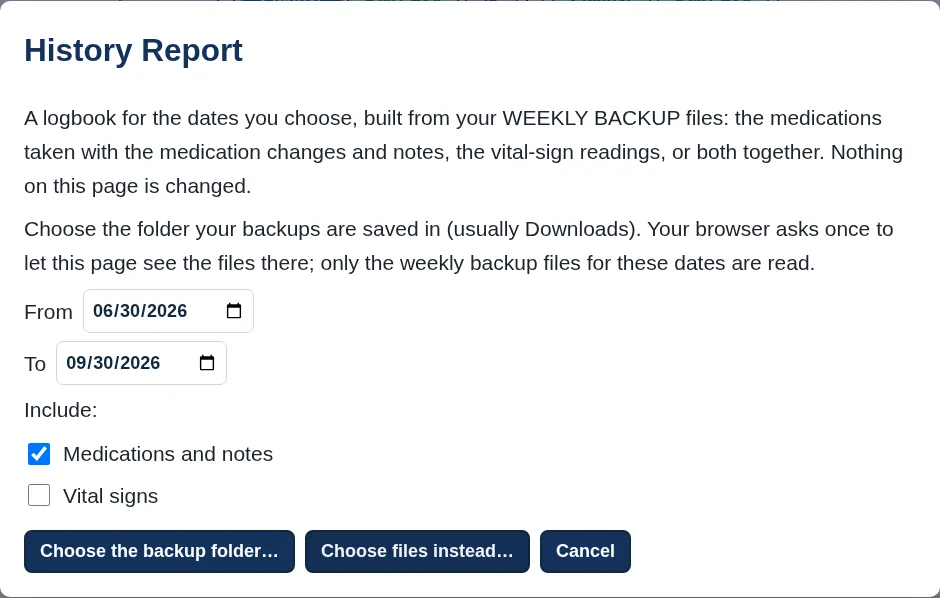
Every Start New Week saves a WEEKLY BACKUP of the finished week. The History Report brings any span of those weeks together, your medicines and notes, your readings, or both, to print or save as a PDF for an appointment.
Changing computers, or going away with your tablet? Send my records to another device emails you a locked copy to open there.
Included in every edition
Your free trial includes everything, so you can try every part before you choose. Then pick the edition that fits, by the month or the year.
Medications
$2 a month
or $9.95 a year
Plan your medicines, vitamins and supplements, fill your pill box from photos, tick each dose and print your plan for the fridge.
Vital Signs
$2 a month
or $9.95 a year
Plan your checks, such as blood pressure, glucose and weight, record each reading, and print trend charts and your monitoring plan.
Medications & Vital Signs
$3 a month
or $14.95 a year
Everything in both, in one record. One Carer Report covers your doses, readings and notes. Best value.
Every edition includes your details, Who to call, your health history, Emergency Medical Info with the Emergency Sheet and Wallet Card, backups, the dyslexia-friendly edition and the step-by-step User Guide. Plus 6 free printable companions, from a Family Emergency Contact Tree to an ICE Wallet Card: see the list.
Prices in US dollars. Any tax is shown at checkout before you pay. Licences never renew by themselves: the app reminds you before yours ends. Paid licences have the same 30-day money-back guarantee as our books: see our Refund Policy.
Ready when someone needs to help you
Try the Health Record free for 30 days.