
Health Record · Medications
Your medicines, set up once and checked off every day
Medicines, vitamins and supplements in one plan. Fill your pill box from photos, tick each dose as you take it, and see at a glance what’s overdue today. When the week ends, one button starts the next. No paper forms to write out, ever.
Kept on your device · No tracking, ever · Large print · Works offline once activated
Why it’s easier than a paper chart
- Set up once. Medicines, times and doses carry forward every week.
- No forms to write out. The plan, the weekly log and the fridge sheet are made for you.
- Fewer missed doses go unnoticed. Anything overdue today is amber, on screen.
- Fill your pill box accurately. A photo of each pill beside its box, and a colour for each day.
- A new week is one button. Nothing to fill in.
- On screen or on the fridge. Use it on your device, or print it.
- Changes are noted for you. Change a dose mid-week and the app writes a dated note.
- Your carer sees your week. One locked report, from your own email.
1. Set up once: by you, or by your carer
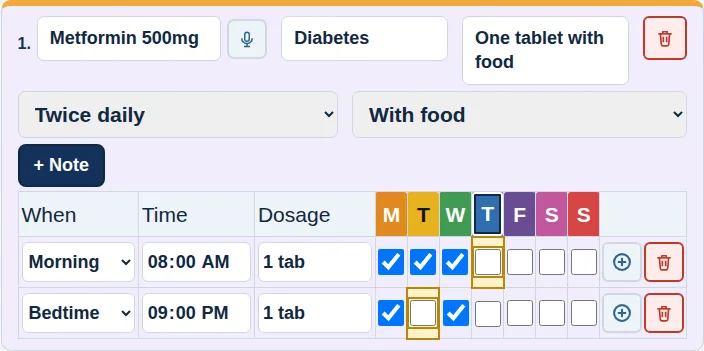
Open Medications → Planner and press Add Medication for each medicine, vitamin, supplement or pain reliever, including the ones you take only as needed.
- Type three letters and pick the name from the official U.S. medicine list, so the spelling is right. Or tap the microphone and say it.
- Add what it’s for, how to take it, how often, and each time of day with its dose. Doses are kept short and clear: 1 tab, 2 caps, 5 mL.
- That’s it. Next week, and every week after, it’s already there.
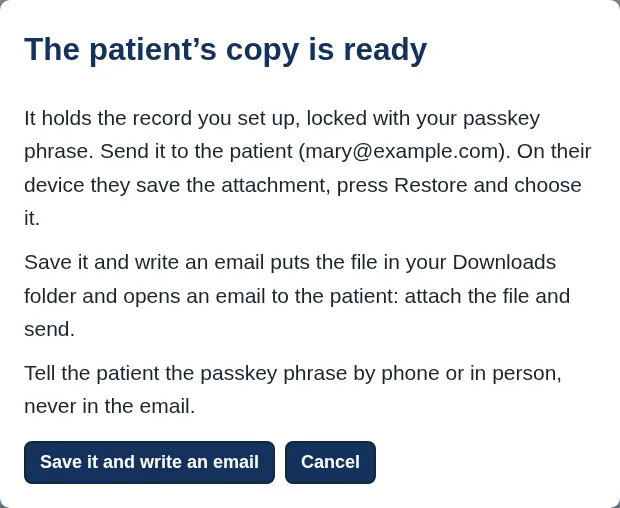
Rather someone else did it? Your carer can set up your whole record on their own computer, with the carer version of the Health Record that comes with the Carer Workbench, and send you a locked copy. You save it and press Restore.
2. Fill your pill box with confidence
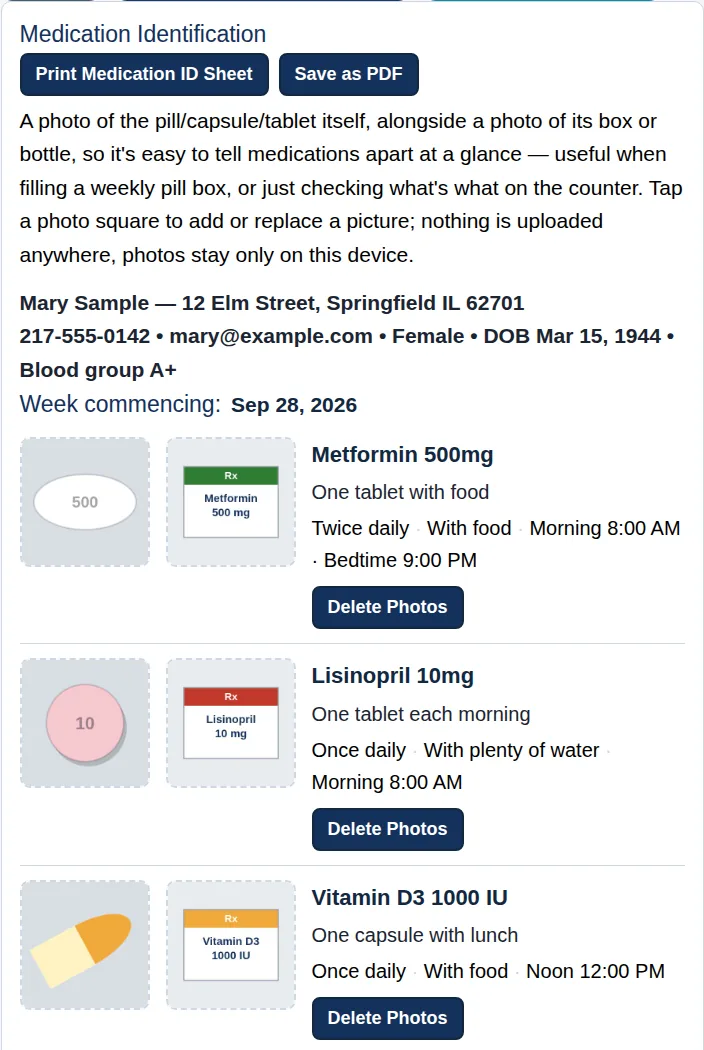
On the ID page, add a photo of each pill beside a photo of its box or bottle. When you fill your weekly pill box, you can see at a glance which tablet is which, even when two look alike.
Give each day its own colour to match your pill box. Today’s colour shows in a banner at the top of the page and on the day’s column.
Print the Medication ID Sheet to keep beside the pill box. The photos stay on your device; nothing is uploaded.

3. On screen, or on the fridge
Use the app on your computer, tablet or phone, or print this week’s sheets. Every printout comes from the same plan, so the fridge sheet, the pill-box sheet and your doctor’s copy always agree. No copying out by hand.
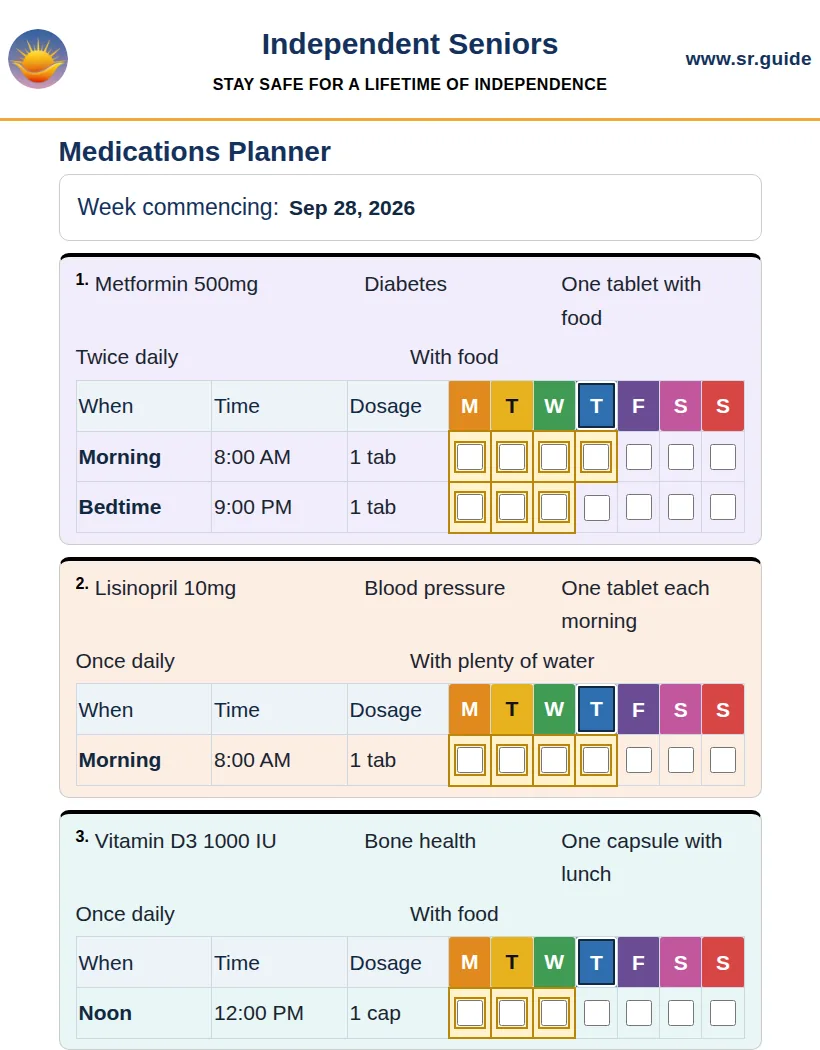
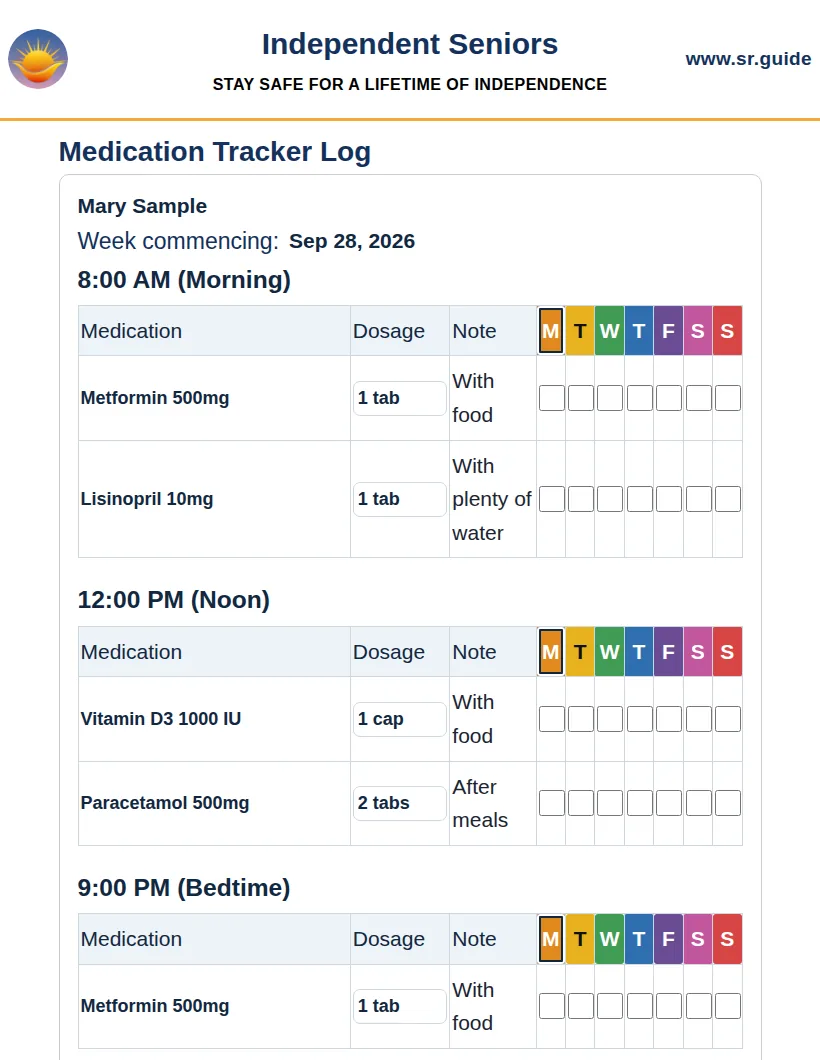
4. Each day: tick, and see what’s overdue
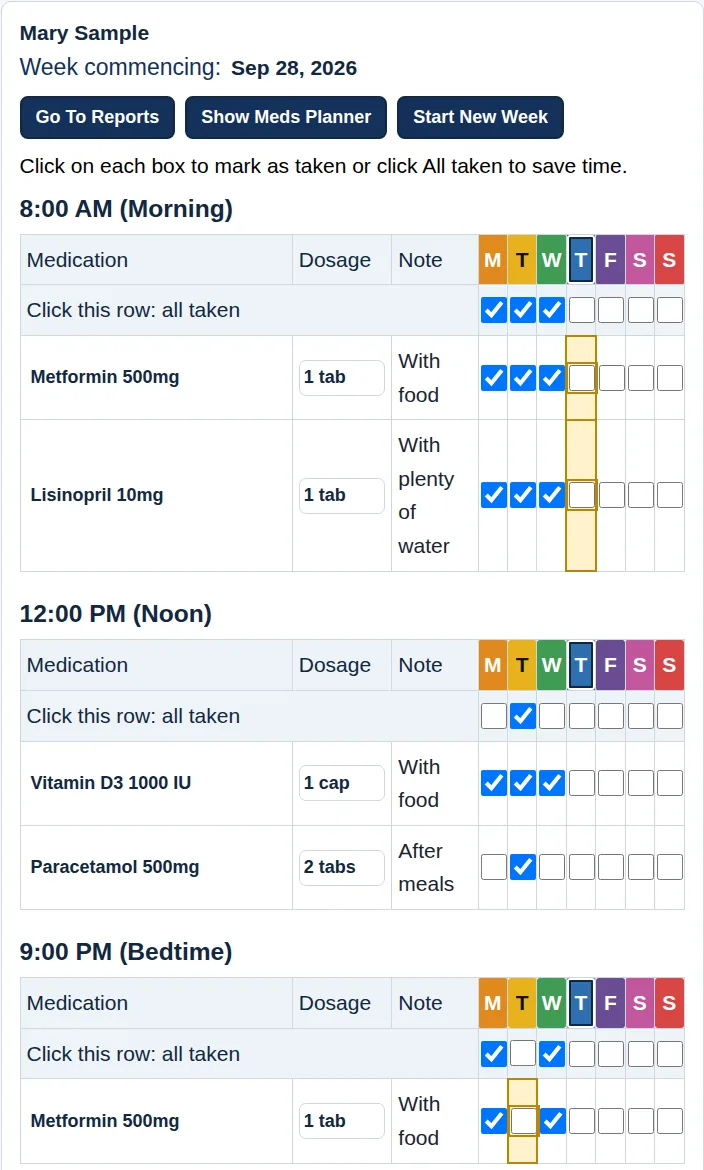
Open the Daily Log. Doses are grouped by time of day, and today’s column is outlined. Tick each dose as you take it, or tick the whole row with Click this row: all taken.
Amber means overdue. When a dose’s time has passed and it isn’t ticked, its box turns amber. A missed tablet is noticed the same day, not at the end of the week, while there’s still time to ask your pharmacist or doctor what to do.
Medicines taken only as needed, weekly or on alternate days never turn amber: just tick them when you take them. If you didn’t take a dose, leave it unticked. An honest record is exactly what your carer and doctor want to see.
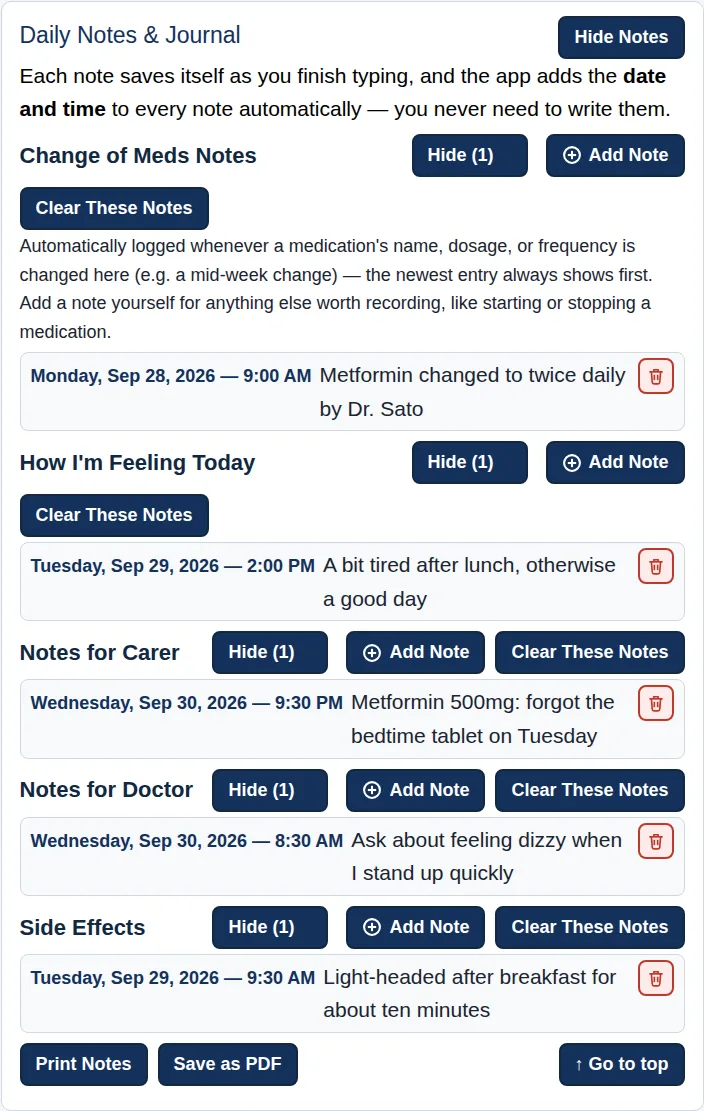
5. Notes for your carer and doctor
The ticks show what you took. Notes say what the ticks can’t. Choose the kind of note and press Add Note:
- How I’m Feeling Today
- Side Effects: flagged to your carer as important
- Notes for Carer and Notes for Doctor, such as a question to ask at your next appointment
- Change of Meds Notes: written for you automatically when a medicine’s name, dose or frequency changes
The date and time are added for you. Every note in the week goes to your carer in the Carer Report.
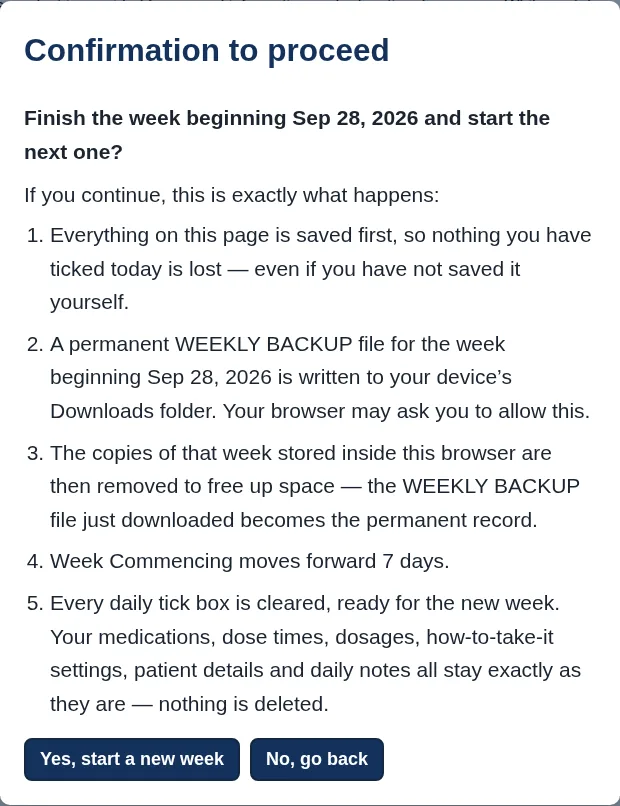
6. End of the week: two presses
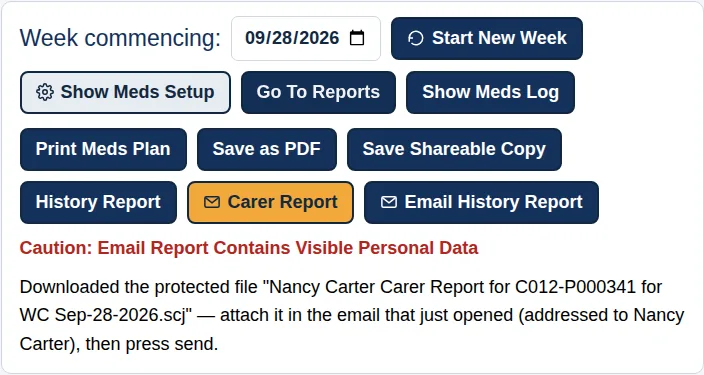
Carer Report saves one locked file of your week (every dose, reading and note) and opens an email addressed to your carer. Attach the file and press Send.
Start New Week tells you exactly what it will do, then on Yes:
- saves a WEEKLY BACKUP of the finished week for your history;
- clears the ticks and moves the week on seven days;
- keeps your medicines, times, doses, details and notes exactly as they are.
Nothing to fill in. Your new week is ready to tick.
Try it free for 30 days
Your free trial includes everything, so you can try every part before you choose. Then pick the edition that fits, by the month or the year.
Medications
$2 a month
or $9.95 a year
Plan your medicines, vitamins and supplements, fill your pill box from photos, tick each dose and print your plan for the fridge.
Vital Signs
$2 a month
or $9.95 a year
Plan your checks, such as blood pressure, glucose and weight, record each reading, and print trend charts and your monitoring plan.
Medications & Vital Signs
$3 a month
or $14.95 a year
Everything in both, in one record. One Carer Report covers your doses, readings and notes. Best value.
Every edition includes your details, Who to call, your health history, Emergency Medical Info with the Emergency Sheet and Wallet Card, backups, the dyslexia-friendly edition and the step-by-step User Guide. Plus 6 free printable companions, from a Family Emergency Contact Tree to an ICE Wallet Card: see the list.
Prices in US dollars. Any tax is shown at checkout before you pay. Licences never renew by themselves: the app reminds you before yours ends. Paid licences have the same 30-day money-back guarantee as our books: see our Refund Policy.
Set up once. Tick each day. One button each week.
Try the Health Record free for 30 days.